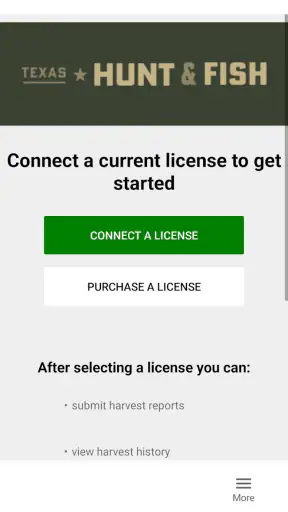
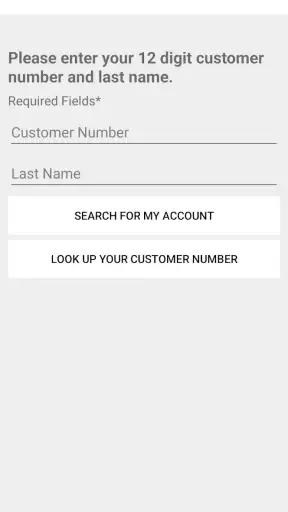
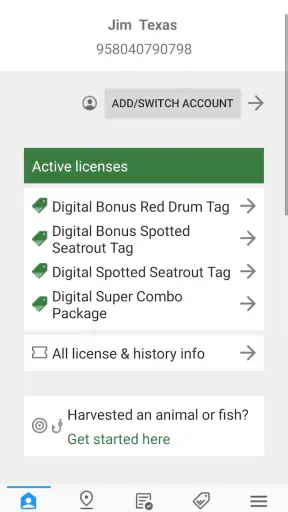
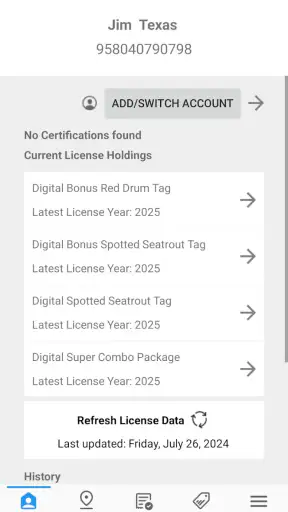
Texas Hunt & Fish
2.9 110.00 Reviews
Analysis By AppCompare
When I use a state hunting app, I am not looking for entertainment or a polished social feed. I want a dependable way to complete an important field task without guessing what happens to my information. Texas Hunt & Fish is aimed at that practical need. It is a free sports app from the Texas Parks and Wildlife Department, built around real-time reporting of harvested game in Texas. That narrow purpose is also its main strength: it focuses on a responsibility that can be easy to postpone when you are tired, outdoors, or dealing with poor reception.
My overall impression is cautious but useful. The app makes sense for Texas hunters who need an official reporting route close at hand, especially people who would rather keep the process on their phone than rely on paper notes or a separate website. At the same time, I would not treat it as a complete hunting companion. Its value depends on how well it fits your particular reporting situation, your phone, and your ability to use it when you are away from a reliable connection. The average score is 2.9 from around 200 ratings, with over 100 written reviews, so the public experience is clearly mixed rather than universally smooth.
What the app is really for
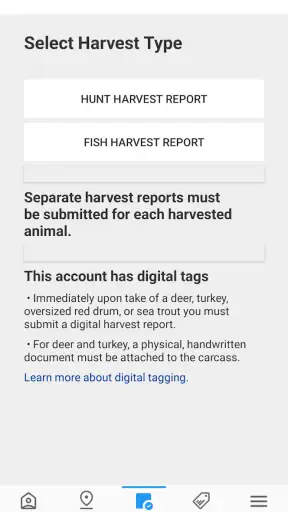
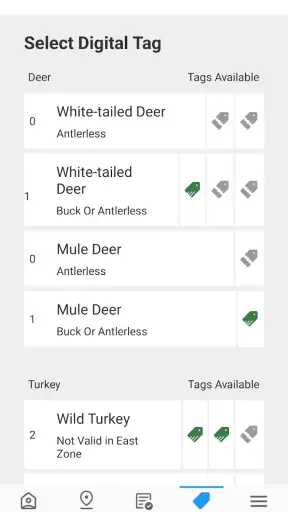
The most important thing to understand is that this is not a general wildlife encyclopedia, a map-heavy scouting tool, or a community for sharing trophy photos. Its central job is to help hunters in Texas report harvested game in real time. That makes it closer to a digital compliance tool than to the usual outdoor recreation app.
I appreciate that distinction because it changes how I judge the product. A hunting app can be attractive and full of extras while still being unhelpful at the moment a report matters. Here, the useful question is whether the app helps you move from a completed harvest to a properly submitted report with as little uncertainty as possible. If that is the task you need to handle, the focused design is more relevant than a long feature list.
The developer, Texas Parks and Wildlife Department, also gives the app a clear public-service context. I would still read the instructions carefully and follow the current Texas rules that apply to my hunt, but an official department app feels more appropriate for this particular job than an unrelated third-party tracker. That is a matter of purpose and accountability, not a reason to skip checking the details that govern your own license, season, or harvest.
Because the app is rated for Everyone, it does not present itself as an adults-only product. That label is useful for the general audience, but it should not be confused with a statement that every hunting activity is suitable for every person. The app supports an administrative task connected with hunting; the responsibility for lawful and safe conduct remains with the user.
A realistic field scenario
Imagine finishing a hunt late in the day, with cold hands, limited daylight, and a phone battery that has already been used for navigation and photographs. In that moment, the best workflow is to stop before leaving the area, open Texas Hunt & Fish, read each prompt instead of rushing, and submit the harvest while the details are still fresh. I would then keep a personal note of what I entered until I was satisfied that the report was accepted and that I understood any next step shown by the app.
That last habit is important. A reporting app should reduce memory errors, but it should not replace your own record keeping. I would write down the time, location context, and identifying details separately when practical, particularly if the phone is wet, nearly out of power, or behaving unpredictably. This is not busywork: it gives you a backup if you later need to explain what happened or repeat a process.
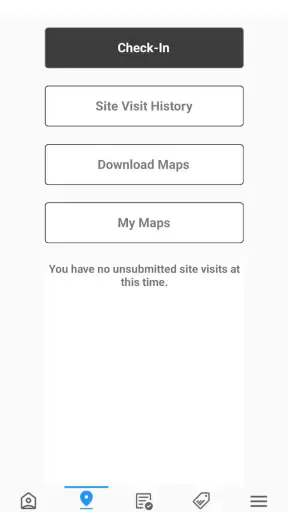
A second useful scenario is preparing before the trip. Rather than installing the app at the trailhead, I would open it at home, inspect the available screens, confirm that it starts normally, and make sure I know where a report begins. That small rehearsal can reveal whether the interface feels comfortable on your device before the task becomes time-sensitive. It also helps separate an app problem from a rule or license question that belongs elsewhere.
Where it fits beside ordinary alternatives
The usual alternatives are a paper notebook, a browser-based government service, or a broad hunting app that combines maps, weather, journals, and harvest records. Each option solves a different problem. Paper is dependable when electronics fail, but it cannot provide the same guided digital workflow. A browser service may be familiar on a computer, yet it is less convenient when you are standing outdoors with a phone. A broad hunting app may be better for planning and logging, but it is not automatically the right place for an official Texas harvest report.
I would use Texas Hunt & Fish for the state reporting task and keep another tool, if needed, for navigation, weather, property boundaries, or long-term journaling. Trying to force one app to handle all of those jobs can make the most important step harder to find. The trade-off is that this focused app may feel limited to someone expecting a full digital hunting kit, but that limitation is preferable to confusing recreational records with an official report.
Trust, controls, and moments that deserve care
Trust here comes less from visual polish and more from knowing what I am doing at each stage. A harvest report can involve information that is sensitive in a practical sense: details about the event, the hunter, and the circumstances surrounding the harvest. I therefore pay attention to every field, confirmation message, and choice presented on screen. I do not enter extra personal information simply because a text box appears available, and I avoid treating a successful-looking screen as proof that I have completed every obligation.
The app’s public footprint is substantial enough to show that it is not an obscure experiment. It has more than 100,000 installs, and the current version is 4.1.2. Those figures do not guarantee a flawless experience, but they suggest that the app has been used beyond a tiny test group and has continued to receive version updates. I still recommend checking the version on your own device before a hunt, because an older installation can behave differently from the current release.
The app was released on April 22, 2014, which gives it a long history compared with many newer mobile products. That can be reassuring when an app handles a recurring public task, but age also makes me cautious about interface expectations. A long-running app may feel more functional than modern, and users who expect a highly polished design should be prepared for a utilitarian experience rather than a lifestyle brand.
Verified choices versus assumptions
One of my rules with any app connected to government reporting is to distinguish visible user controls from assumptions about privacy. If the app asks me to confirm an entry, I read the wording. If it offers a choice about continuing, editing, or submitting, I make that decision deliberately. I do not assume that closing the app saves a draft, that pressing back reverses a submission, or that a confirmation screen means the same thing as an official approval.
This is also why I would avoid handing the phone to another person after opening a report. A friend helping with directions is not necessarily the person who should review or submit sensitive details. I keep the device in my control, check the final information myself, and only then complete the action. That workflow is simple, but it protects against accidental edits and misunderstandings better than rushing through a shared screen.
Account and device control deserve the same attention. I would use my own phone, keep its screen protected, and avoid entering report details on a borrowed device unless there were no practical alternative. When finishing, I would review what remains visible and close the app if other people may handle the phone. These are sensible precautions for any app involving personal records, without claiming that the app itself provides or lacks a particular privacy feature.
Data-sensitive moments in the field
The most sensitive moment is not necessarily installation; it is submission. Before I tap the final control, I check the species or harvest category, the date and time fields, and any location or identification information requested. A tired user can easily select the wrong item from a list or overlook a small correction. Slowing down for one final review is more valuable than trying to complete the process at maximum speed.
Connectivity is another practical concern. Real-time reporting naturally works best when the phone can communicate with the service, but outdoor conditions are not always predictable. I would not wait until the last possible moment to discover whether the app can be used in my hunting area. Before leaving, I would test the opening flow, charge the phone, and carry a backup way to record the necessary facts. I would also avoid claiming that an unsent entry is complete simply because the information is visible on the screen.
Battery management matters more than many store descriptions suggest. Navigation, camera use, cold weather, and weak signals can drain a phone quickly. For a report that may be important, I would keep power available rather than using the phone casually throughout the day. A small battery pack and a paper backup are sensible companions, especially on longer trips. The app can be part of the process without being the only thing supporting it.
There is a similar issue with privacy in shared hunting arrangements. People often travel in groups, but not every participant needs to see another person’s report details. I would complete my own entry, verify the result, and avoid broadcasting the screen or leaving the phone unlocked in camp. That is a concrete way to preserve user agency even when the app is being used in a social setting.
What the mixed rating tells me
The 2.9 average suggests that practical reliability and user satisfaction are not consistent for everyone. I would not turn that number into a claim about a specific defect, because a rating alone does not explain whether people struggled with navigation, device compatibility, connectivity, or expectations. Still, it is a useful warning: install and test the app before your hunt rather than assuming that an official purpose guarantees a friction-free session.
For me, the mixed reception changes the preparation standard. I would not make this the sole plan minutes before a deadline. I would learn the workflow in advance, keep a written backup, and know where to seek help if the app does not behave as expected. That is especially important for first-time users, people with older phones, and anyone hunting in areas where service is uncertain.
Who will benefit most
This app is a good fit for Texas hunters who want a direct mobile route for reporting harvested game and who are comfortable checking their entries carefully. It is also useful for people who dislike carrying separate paperwork or who want the reporting task close to the rest of their field tools. The free price removes a common barrier to trying it, so I would test it before deciding whether it belongs in my regular kit.
It is less suitable for someone searching for detailed scouting maps, weather analysis, social features, gear advice, or a rich personal hunting diary. I would choose a dedicated mapping or planning app for those jobs, then use this one only for the state-specific reporting responsibility. Likewise, a hunter who refuses to carry a backup record or who expects every outdoor app to work perfectly without preparation may find the experience frustrating.
The minimum operating system is Android 8.0, so compatibility is worth checking before relying on it. I would also pay attention to how readable the controls are on my particular screen and whether the app remains comfortable to use outdoors. A technically compatible phone is not automatically a convenient field device, especially when gloves, glare, or low battery enter the picture.
My practical workflow
I would prepare in four stages. First, I would install the free app before the trip and open it in a calm setting. Second, I would identify the path toward a harvest report without entering false information just to explore. Third, I would prepare a paper or offline note for the details I may need. Finally, after a harvest, I would use the app promptly, review every field, wait for a clear completion state, and preserve my own note until I am confident the process is finished.
That workflow also answers a question many users have: can the app replace every other record? I would say no. It can serve as the digital reporting tool, but I would still keep the relevant license information, personal notes, and a backup plan. The app is most valuable when it is one reliable part of a prepared process, not when it is treated as a magic substitute for understanding the rules.
Another question is whether the app is worth trying if you only hunt occasionally. In my view, yes, if your Texas hunt may require the reporting function and you have time to test it beforehand. Occasional hunters benefit even more from a short rehearsal because they may not remember the workflow from one season to the next. If your needs are limited to maps or wildlife identification, however, this is probably not the first app I would install.
A final question is whether the official developer makes the app automatically trustworthy. It improves the fit for a Texas reporting task, but I still judge trust through visible choices and careful behavior. I read what I am confirming, limit what I share, keep control of the device, and retain a backup record. Those habits matter regardless of who publishes the app.
Final assessment
Texas Hunt & Fish is a focused, free sports app for a specific Texas hunting responsibility. I like its official purpose and the fact that it puts real-time harvest reporting within reach of a phone. I do not like the uncertainty suggested by the mixed public rating, and I would not depend on it without preparation, battery planning, and a backup way to record important details.
My recommendation is therefore conditional but positive. Texas hunters who need this reporting workflow should install it early, explore it without rushing, and use it as part of a broader field routine. People looking for a complete hunting companion should choose another tool for planning and navigation, while keeping this app for its narrower role. The best way to use it is with control, patience, and a backup—not blind dependence.
FAQ
What is Texas Hunt & Fish?
Texas Hunt & Fish is a mobile app designed to help hunters and anglers manage outdoor activities in Texas. It can provide access to license information, permits, regulations, season dates, public hunting locations, and other useful resources. Before downloading, users should confirm that the app’s current features match their needs and that information is updated for the latest Texas seasons.
Can I buy or display Texas hunting and fishing licenses through the app?
The app may support license-related services, including viewing license information, checking permits, or accessing documents associated with Texas outdoor activities. However, available functions can depend on the current version, your account, and Texas Parks and Wildlife requirements. Always verify that a digital license or permit is accepted for your specific activity before leaving home.
Does Texas Hunt & Fish work without an internet connection?
Some information may remain available after it has been loaded, but users should not assume that every feature works offline. Maps, account verification, license services, regulation updates, and location-based tools may require mobile data or Wi-Fi. It is sensible to open the app before traveling, save important details, and carry any legally required backup documentation.
Who can use Texas Hunt & Fish?
The app is primarily intended for people who hunt, fish, or explore outdoor recreation opportunities in Texas. Beginners may find its regulations and planning tools helpful, while experienced users can use it to confirm seasons, rules, and license details. Certain services may require an account, personal information, age eligibility, or a valid Texas license.
Is Texas Hunt & Fish free to download and use?
The application may be free to download, but that does not necessarily mean every activity is free. Hunting and fishing licenses, permits, tags, stamps, and special access programs can involve separate costs set by Texas authorities. Check the app-store listing and official Texas Parks and Wildlife information for current pricing, supported devices, and possible account requirements.
Pros
- Detailed maps help locate public hunting and fishing areas.
- Season dates and regulations are easy to check while outdoors.
- Covers both hunting and fishing information in one app.
- Useful for planning trips across different Texas regions.
- Official wildlife updates can help users stay informed.
Cons
- Some features may require an internet connection or downloaded data.
- The amount of information can feel overwhelming for new users.
- Map accuracy may vary in remote areas with weak GPS coverage.
- Regulations and listings may change
- requiring frequent app updates.
- The app is mainly useful for Texas activities and has limited wider use.